








4
Trial version
WinRAR
Still compressing the competition

View an ad to download for free
Archive SE is a system that can archive (or compress) files in a variety of known formats (TAR.GZ, GZ, and ZIP). This allows users to keep large quantities of files in one place and to save space, which is especially useful if you are archiving source code, HTML files, photographs, sending items over the internet or just for backup purposes.
The system is designed to allow easy use of Tar Gzip archives which is of particular use when backing-up. The system always appends files so that previous versions of files are not overwritten and lost, this is especially useful for source code. As the Tar Gzip format is widely used on Unix machines, archives produced by users on Unix systems can be easily accessed, appended or altered, without having to decompress and extract the archive to get at its contents.
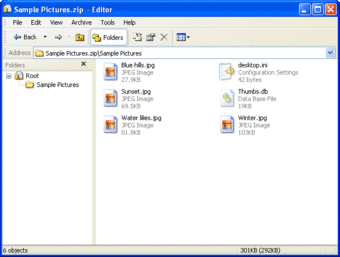
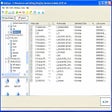
With the simple and intuitive interface you can easily find items, which you can then drag n drop to extract. You can add items in the same way by dragging n dropping new items to be appended to the archive.
In Windows XP (or newer) the option of listing the archive using a tiled view, greatly enhances the information shown for each item. This saves having to get the item properties or having to set the view to details.
Trial version
1.1.5
Windows
Windows 2000
English
404
558.80 KB
View an ad to download for free
Have you tried Archive SE? Be the first to leave your opinion!
Add review
High performance file archiver using RK format
Create and unpack SQX, CAB and ZIP files

A trial version Software utilities program for Windows

RAR ZIP Decompressor/Compressor
A simple utility for data compression

Divide and join large files
Archive your working files

Repair damaged zip files and extract zipped files
Compress multiple files or folders with just one click

A free Software utilities program for Windows

Zip and unzip compressed files easily





